Struggling to keep track of your DAW projects? This free app can help you.
SessionDock helps musicians, producers, and engineers stay organized across every project. It’s a genius project organization tool for macOS, designed to help you stay on top of a mountain of unfinished tracks
If you record and produce music with a DAW, then there’s a good chance that you have a sprawling and disorganized collection of project files on your hard drive, labelled with unhelpful names that provide little knowledge of their contents.
This kind of organizational chaos can become a genuine obstacle to creativity. How many brilliant ideas have been lost forever, abandoned in a digital graveyard of labyrinthine folders and cryptic filenames?
As the unfinished projects pile up, the prospect of sorting through them to discover the material we’ve neglected becomes all the more unappealing. Especially on slower machines, opening up a session just to check out the contents can be a time-consuming process.
Christopher Warner – the developer behind DAW project management tool SessionDock – understands this problem acutely. “SessionDock was born out of a common pain every producer knows: a desktop full of old sessions, forgotten mixdowns, and endless folders,” he tells us. “As an indie developer and musician, I wanted a better way to see my creative history – to bring visual order to all the work I’d made. That’s how SessionDock began.”
SessionDock is an organizational hub for DAW sessions where each unfinished project becomes “a little piece of your discography”, instead of an anonymous file festering on your hard drive. Bringing together sessions from Ableton Live, Logic Pro, FL Studio, Pro Tools and more in a single streamlined library, it allows you to browse, tag, and even preview projects without opening up your DAW.
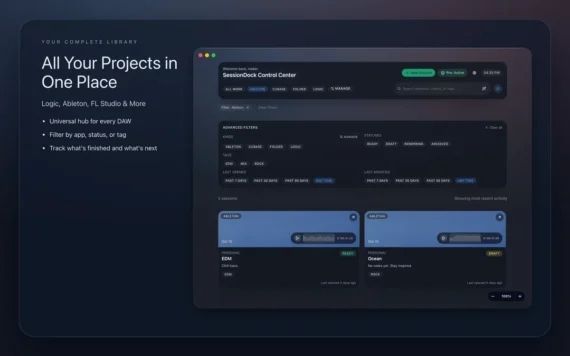
Open up SessionDock, and all of your projects will be displayed on a central dashboard with customizable titles, artwork and notes. Projects can be given multiple tags denoting their genre, instrumentation, or just about any relevant information that’ll help you identify and categorize them, and you can choose from a range of status labels to remind you how close a project is to completion.
Another handy feature is the ability to upload mixdowns to SessionDock which can then be previewed from the dashboard, providing a way of instantly checking how a project sounds without opening up your DAW. Time-stamped notes can even be added to the preview for later.
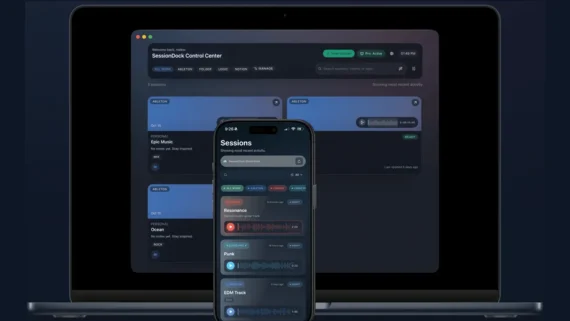
SessionDock is available for macOS, with a companion app for iOS – the desktop app can be synced to iPhone or iPad using iCloud or Dropbox, making it possible to browse sessions on your mobile devices. You can even check out your mixdowns in the car, thanks to CarPlay support.
Key Features:
- View all sessions saved from the desktop app
- Preview session audio/mixdown
- Read project names, notes, and metadata
- Fast, lightweight, and read-only
- Keeps your creative catalog consistent and secure
- CarPlay support – browse and play session previews hands-free while driving
SessionDock Companion makes it easy to stay connected to your music projects wherever you go.
The best part is that SessionDock is completely free. The app’s free tier gives you all the core features across unlimited desktop projects, with no signup or subscription required, but you’ll only be able to sync up to four sessions with the iOS app.
SessionDock’s Pro tier gives you unlimited mobile sync, automatic cloud backups and custom visual themes, and is available for a one-off payment of €34.99 or a monthly subscription of $6.99.
Download SessionDock via the App Store or find out more here.