The latest windowbed video offers an introduction to getting started with synths.
The video is intended for beginners. It focuses on getting started with synths, and understanding elements that are fairly common to most synths that beginners might typically encounter.
Topics covered include:
0:00 Who this video is for
1:11 My example synths
2:00 Keys & pads
3:58 Why only 2 octaves?
4:46 The octave buttons
5:30 Volume & gain staging
7:30 Types of knobs & encoders
11:00 Sound engine parameters
12:42 ADSR envelopes
16:50 Polyphony settings
18:05 Why would you use a polyphonic synth in mono mode?
Operator: A look back at two decades of sound design with Ableton
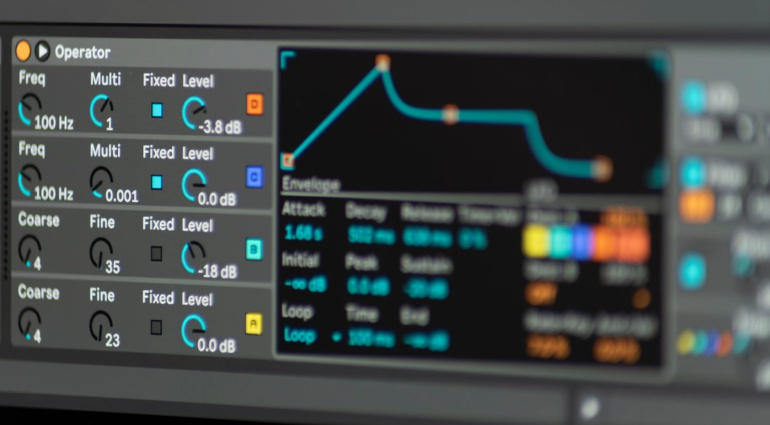
Almost 20 years ago, musician Robert Henke developed Operator, a synthesiser that has since become a key component of Ableton Live. Combining elements of FM, subtractive and additive synthesis, Operator is characterised by low CPU usage and easy programmability despite its versatility. To celebrate its 20th anniversary, Henke and Ableton instrument designer Christian Kleine have put together a preset pack with over 100 sounds, demonstrating the range of this ‘little’ FM synthesiser. Congratulations and thanks! To download the 20 Years of Operator Pack for free, Live 12 Suite required.
20 years of Operator: From FM synth to sound design powerhouse
Ableton Live was launched in 2001 as an audio-only DAW, but with the release of Live 4 in 2004, Ableton added MIDI functionality and with it the need for a dedicated synthesizer. The development of this synthesizer fell to Robert Henke, one of Ableton’s co-founders, who had been working intensively with FM synthesis since 1997. He was inspired by John Chowning, the inventor of FM synthesis.
Traditionally, FM synthesis has been seen as complex and difficult to master. Henke’s aim was to reduce this complexity by creating an intuitive, polyphonic FM synthesiser that is less intimidating. This was achieved through an innovative visual display of the parameters: instead of displaying all the settings at once, an LCD-like display was developed that shows only the parameters that are currently relevant.
History behind Ableton’s innovative synthesiser
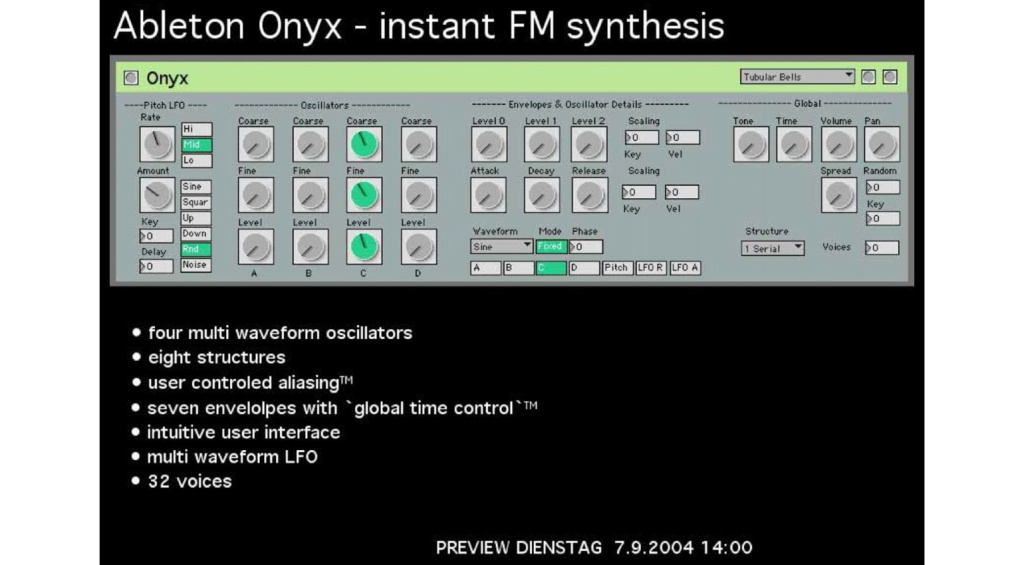
For it’s public release, the synthesizer was renamed from ‘Onyx’ to ‘Operator’ in line with Yamaha’s naming convention. Standout features of the software synthesiser include the Global Tone control, which adjusts high frequencies, and the Spread effect, which is based on a Synclavier chorus. Another special feature is the ability to control the pitch of each oscillator via velocity.
Over the years, Operator has been continually expanded and improved. New filter modes, reworked oscillators and the ability to create your own waveforms using additive synthesis make it an essential tool for DAW-based music production in 2024.
Henke adds that, despite its long history, there is always something new to discover, proving Operator’s timelessness and versatility. He also hints that he still has a few ideas in mind for future updates. An interesting package that all Ableton Live users should definitely install and try out!
Modalics, the developer behind the pizza-inspired beatmaking plugin Beat Scholar, has announced the launch of a new free plugin and app: Plugin Buddy.
Use Plugin Buddy to create complex chains of MIDI effects, audio effects and instruments that can be run inside a single plugin or standalone app.
Plugin Buddy is a plugin host and utility that does a lot of useful things. As a standalone app, it can host VST3 plugins, so you can use it to open up and play with instrument, effects and MIDI plugins outside of your DAW. But, as Plugin Buddy is also available in AU and AAX formats – and hosts VST3 plugins – you can also use it to circumvent compatibility issues by opening up VST3 plugins in DAWs that don’t support them, such as Pro Tools.
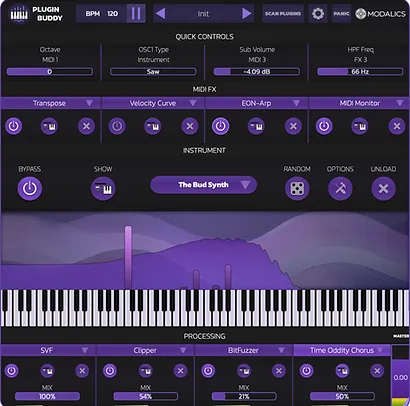
Open up Plugin Buddy and you’re able to load up an instrument plugin via the central panel, located below a display that visualizes incoming MIDI notes and the frequency spectrum. Below this, you can host up to four audio effects and tweak their individual wet/dry mixes.
Nearer the top of the interface you’ll find Quick Controls that can be assigned to quickly tweak specific parameters in any hosted plugin, and space to host up to four MIDI effects. With all of this functionality combined, you can use Plugin Buddy to create complex chains of MIDI effects, audio effects and instruments, that can be hosted in your DAW in a single VST3 plugin.
Plugin Buddy is equipped with a few MIDI utilities that may also prove useful. Velocity Curve applies custom velocity curves to incoming MIDI notes, Transpose will transpose notes by a chosen number of octaves or semitones, and MIDI Monitor displays incoming MIDI data in real-time.
In addition, there is a built-in synth installed in Plugin Buddy, a basic two-oscillator affair named The Bud, along with two effects plugins: a clipper and a low-pass filter. Another fun feature is Plugin Buddy’s randomizer, which lets you randomize all of a plugin’s parameters to create unpredictable and chaotic sounds.