Akai Pro has upgrades its LPK25 and LPD8 mini MIDI controllers, 13 years after they were launched.
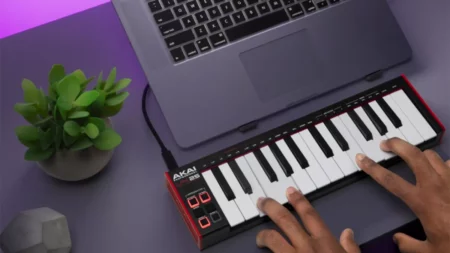
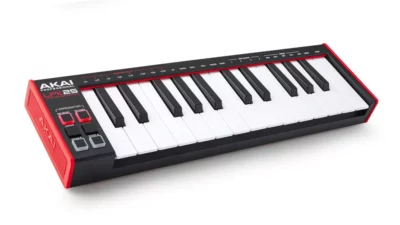
Both devices now have a slightly funkier look – with the 2-octave LPK25 Mk2 MIDI keyboard getting a new “Gen 2 dynamic keybed”. This made its debut on the MPK mini Mk3, and is designed to offer improved playability and velocity response.
Other features include a built-in arpeggiator and clock for controlling your software and hardware and a standard-size USB port. Though there is still no pitch/modulation wheel, but this does at least help to keep the LPK25 extremely compact.
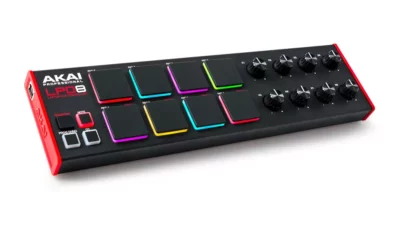
Next, the new LPD8 Mk2, this inherits its eight velocity-sensitive RGB-backlit pads from Akai’s MPC X. These are said to be super-responsive and offer velocity-sensitivity. There are also eight assignable rotaries and, again, a full-size USB port.
Both the LPK25 and LPD8 ship with software bundles that comprise the MPC Beats DAW and a selection of MPC instruments and effects.
Find out more about the LPK25 Mk2 and LPD8 Mk2 on the Akai Pro website. Both are available now and you can expect to pay around $59/£50/€59 for each.
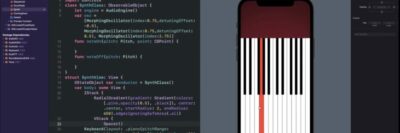
Developer Nick Culbertson has released a series of tutorial videos, demonstrating how to make an iOS music app with just 100 lines of code.
The first video, above, looks at making a synth app with just 100 lines of code. The second video, below, looks at making a drum pad app with 100 lines of code:
The final video, below, looks at making a sequencer app with 100 lines of code:
Obviously, these are not intended to be the most sophisticated music apps – they are intended to be simple starting points to show you how you can get started with music app development for iOS. They also demonstrate some of the power of AudioKit, an open-source framework for creating audio apps for iOS & macOS.
The AudioKit demo apps are available as open source via Github.
In the latest XNB video offers a complete guide to the Behringer Poly D synthesizer, a 4-note paraphonic keyboard that builds on the classic design of the Moog Minimoog.
While Behringer calls it a ‘Poly’ synth, it is a paraphonic design that lets you individually control the pitches of its oscillators. The rest of the audio path is essentially a monophonic design.
This video covers all the key features of the Behringer Poly D, including oscillators, filters, patch bay, LFO, envelopes, modulation, sequencer and arpeggiator. This is not a review, but is intended to be a complete in-depth guide to the Poly D.
Topics covered:
0:00 – Intro
0:50 – OSC’s
07:24 – Cutoff & Emphasis
10:13 – KBD control
13:45 – Contour & F.Env
19:46 – Loudness contour
24:22 – Modes
32:22 – Autodamp
37:02 – MultiTrigger
42:29 – Noise/LFO
48:58 – Filter EG/OSC4
01:00:14 – Glide
01:01:25 – EXT IN
01:04:49 – Chorus/Distortion
01:07:24 – SEQ:Recording
01:17:42 – Banks & Patterns
01:28:52 – Accents & Rests
01:33:42 – Editing pattern
01:36:37 – Tie & step Length
01:41:38 – Glide
01:45:54 – Ratchet
01:48:35 – Step mode
01:54:59 – Arp
Watch the video and share your thoughts on the Behringer Poly D!