This one-button synth could be the wildest idea to come out of Superbooth 2026.
Just in time for Superbooth 2026, Cyma Forma unveils its new synth instrument – three-letter marvel that takes an innovative approach to sound design: RND (pronounced “Random”).
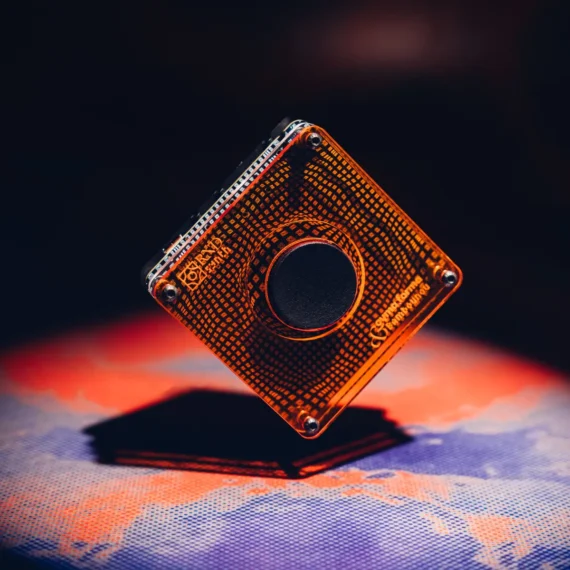
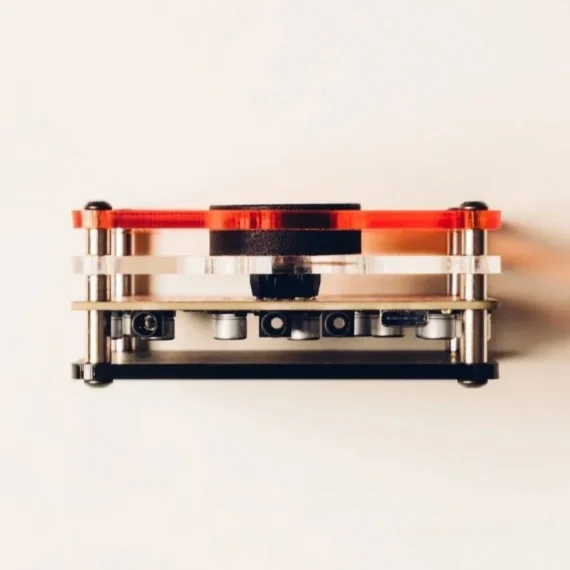
Undoubtedly the most minimalist synth we’ve ever come across, RND is a compact box with an interface made up of a single button. That’s it. No keys, no knobs, no faders, and no display, just one button that generates a randomized musical idea with every press.
Hit the button and all of RND’s parameters across every feature are assigned weighted random values. Once you’ve hit it a second time, you erase the current idea and create a new one, and those sounds are gone forever. According to Cyma Forma, the synth is designed to provide an “infinite source of sounds”, trading “control for inspiration” with an ethos based on a single fundamental idea: “stop playing, start listening”.
Designed in collaboration between Cyma Forma with French artist Bambounou, RND is a digital synth equipped with eight distinct sound engines, covering a variety of synthesis types, including subtractive, FM, additive, noise, karplus-strong, supersaw, speech and “acid” (presumably a TB-303 emulation) along with five styles of filter and a reverb effect.
Each randomly generated idea is made up of four instrument tracks populated with a unique patch, and each track gets its own sequence. Sequences are also randomly generated using Euclidean rhythms and a randomly selected scale and time signature, but you can also sequence RND’s synth engines via 4-channel MIDI over USB.
RND’s USB-C connection can also handle MIDI out, MIDI clock in/out, and multi-channel audio output, so you’re able to integrate with a broader set-up and record RND’s four tracks individually to mix elsewhere. You also get 3.5mm jacks for analogue sync in/out and a stereo mix output.
RND is a radical concept, and one that’s sure to divide audiences with its extreme simplicity –a one-button synth.
“RND is an inspiration machine,” reads a statement from Cyma Forma. “There are 4.29 billion random seeds, meaning 4.29 billion different musical ideas. If you want to make music but don’t know where to start, or if you’re stuck in the middle of a track of yours, or if you just want to space out, just press the button. You’ll definitely find something interesting.”
Priced at €125, RND is available for pre-order now, with first units shipping towards the end of June. Find out more on Cyma Forma website.
After entering public beta back in February, Ableton has officially released Live 12.4, bringing wireless audio streaming, updated audio effects, improved stem separation and a new educational Learn View to the company’s flagship DAW. Live 12.4 is a free update for all owners of Live 12.
Introduced in 2016, Ableton Link is a feature that allows music-makers using Live and Link-compatible hardware and software to link up their devices over a local network for hassle-free, tempo-synchronised jamming and collaboration. Live 12.4 sees the launch of Link Audio, enabling users to stream multi-channel audio between Link Audio-equipped devices over a local network in real time.
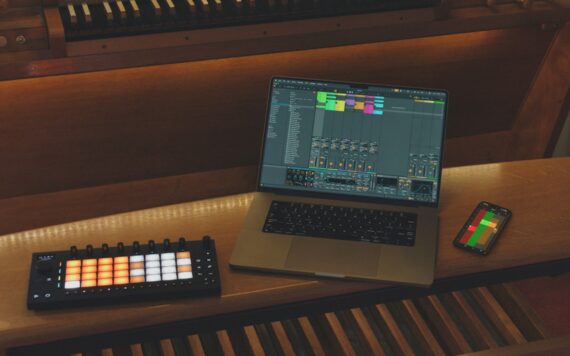
Enable Link Audio on multiple machines running Live, a mobile device running Note, or on a Move or standalone Push, and audio from those connected devices will appear as an input in Live, making it quick and easy to monitor, sample and record with automatic latency compensation and no cables in sight. (On both Live and Push, it’s possible to send and receive audio, but with Move and Note you can send but not receive audio via Link Audio.)
Here’s What’s New In Ableton Live 12.4:
This is an immensely useful upgrade to Link that should make life a whole lot easier for producers that incorporate multiple Ableton devices into their workflow, or collaborators working across several Live-equipped machines.
Live 12.4 updates three audio effects: Erosion, Chorus-Ensemble and Delay. An oldie but a goodie, Erosion introduces a lo-fi character to a signal by modulating a brief delay with filtered noise or a sine wave, producing a bitcrusher-like effect. 12.4 ushers in a new version of Erosion that expands its sound design capabilities by allowing for a continuous blend between sine and noise modulation and offering fine-grained control over stereo width; it’s now equipped with a spectrum visualiser too.
Delay’s modulation capabilities have been given a boost with a new LFO section, updated with additional time modes, LFO shapes and waveform shaping via the Morph control. Chorus-Ensemble has been updated with two new parameters that open up access to a wider palette of chorus effects: Time lets you set a fixed delay time and Taps gives you the option to switch to a one-tap delay (Chorus-Ensemble previously used a two-tap by default) reminiscent of vintage pedals.
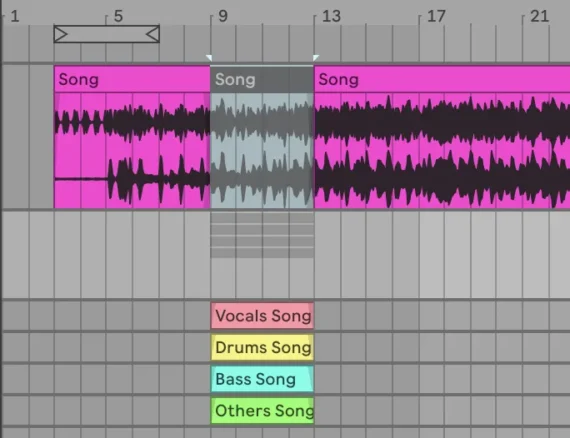
Live 12.4 also brings a handful of improvements to the stem separation feature introduced with Live 12.3 last year. It’s now possible to highlight a portion of an audio clip in Live’s Arrangement View and separate only that selection, which will be useful for quickly isolating specific moments within a track without having to create a new clip. Additionally, separated stems can now be merged into a single audio file, making it easier to strip vocals out of a mix and leave the instrumental intact.
Also new in Live 12.4 is Learn View, a “redesigned learning experience” that replaces the existing Help View, designed to make it easier for beginners to educate themselves on Live’s interface and key features.
Combining short instructional videos with written explanations, Learn View allows you to view tutorials in a floating picture-in-picture window within Live, filtering lessons by topic and ticking them off as they’re completed to track your progress. Only a handful of video lessons are currently available, but Ableton says new modules will continue to be added as time goes on.
Ableton Live 12.4 is out now. Visit Ableton website for more info.