Ableton Live 12.2 is now available in public beta.
Ableton has just unveiled its latest Live update, v12.2, out in public Beta as of today.
The latest update brings meaningful improvements to all editions of Live 12, along with a host of new features for Push, and a new Max device for Move and Note.
Explore new and updated devices
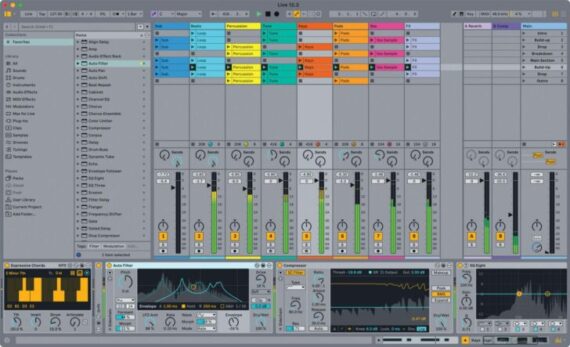
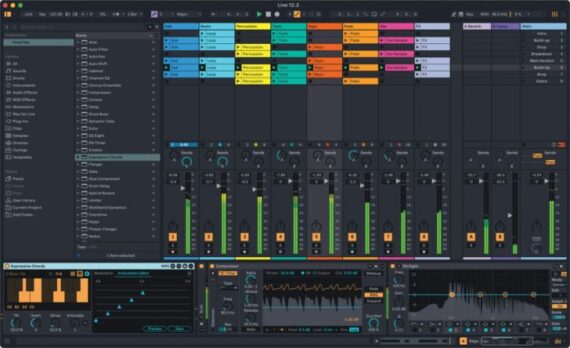
Auto Filter has been completely redesigned with creative new filter types, real-time visualization, and a revamped modulation section. Auto Filter also comes to Move and Note for the first time. Expressive Chords, an MPE-enabled Max for Live device for all editions of Live and Push, lets you play interesting progressions intuitively, one key or pad at a time.
The new Auto Filter brings enhancements to every part of its toolset. Perhaps most significantly, it expands the range of filter types on offer, with additional emphasis on creative filtering.
The existing options – low-pass, high-pass, band-pass, notch, and a Morph filter – are now joined by a comb filter, vowel filter, resampling filter and bi-directional DJ-style filter mode. The Morph filter gains additional slope options, and the notch mode is joined by a notch + LP mode.
There are improvements to the analogue-emulating filter circuits too. Auto Filter now features a clean SVF model, Sallen-Key inspired MS2 and Ladder-style PRD modes, and a new DFM mode that, according to Ableton, “internally feeds back more of its distortion, resulting in a broad range of tones from subtle filter sweeps to warm drive.”
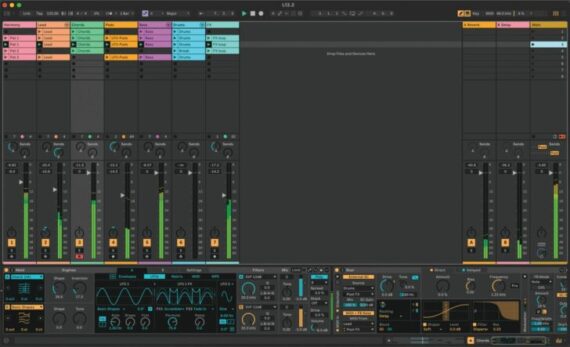
The LFO has been upgraded with a variety of new tools including additional waveshapes and wave morphing, and the sidechain functionality has gained an EQ and mono mode. At the end of the chain, Auto Filter now has an output loudness control to compensate for fluctuations in volume, plus a soft clipping option and global dry/wet. The device also now has a real-time spectrum visualiser built into its UI.
Auto Filter isn’t the only element of Live to gain new features in v12.2. The DAW gains a new keyboard-based workflow for editing automation and modulation, which promises to aid Ableton’s commitment to accessibility as well as potentially speed up the workflow of users up on their keyboard shortcuts.
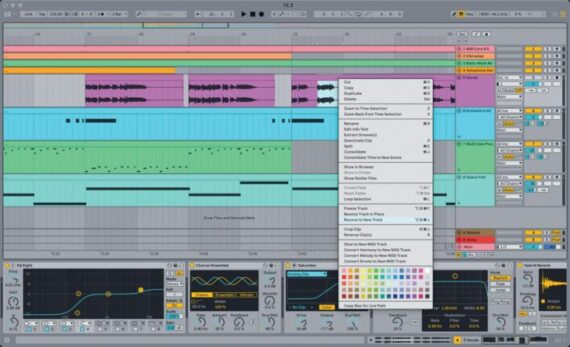
Bounce to New Track
Live 12.2 now lets you bounce clips or time selections on any MIDI or audio track, including all processing, which means users can now both bounce a track in place – rendering the existing track to audio – or bounce audio down to a new track without overwriting the existing track.
Browse and search more easily
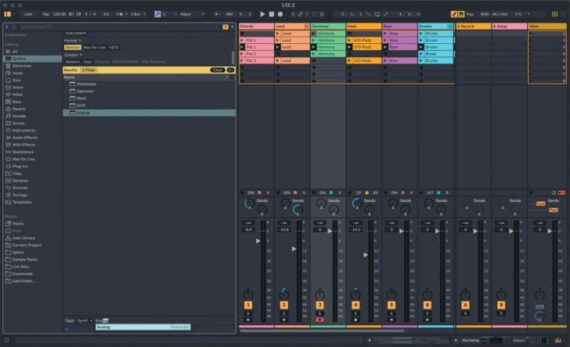
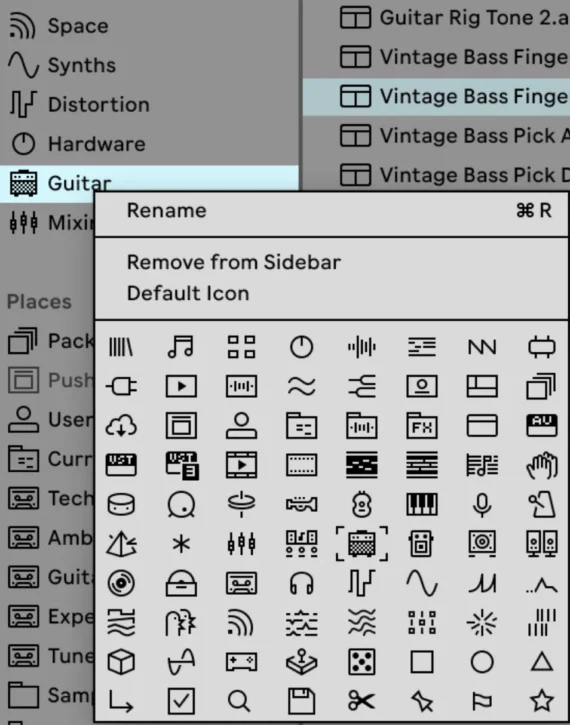
The browser – which was significantly overhauled for Live 12 – also receives a number of refinements. These include a redesign of the tagging system, with a new layout for the filter view, plus quick tags that can be edited from a sound’s preview tab. Users can also now assign custom icons to labels in the library.
There are also numerous updates for existing Live devices. Live 12 newcomers Meld and Roar both gain refinements, with the Meld gaining a new Chord oscillator and Scrambler LFO effect, and the Roar adds a new routing mode and filter type, plus an external audio and MIDI sidechain.
Live’s Resonators and Spectral Resonator can now make use of the Scale Awareness functionality. Finally, Live’s much-loved FM synth Operator now has an increased voice count of up to 32 voices.
Live 12.2 also brings major new creative features to Push.
What’s new for Push?
It’s not just Live itself that’s seeing improvements with v12.2 – the standalone version of Ableton’s Push controller gains an OS update as well, which addresses one of the most significant missing features from its workflow – Follow Actions.
Follow Actions are tools used in Live to automate the behaviour of its clip launcher. At their most basic, they can be used to make clips play one after another, but they can also be set up to do more interesting things, such as randomise the playback of clips and scenes or add automated fills and breaks.
While Push is entirely focused on the clip launching workflow, until now users haven’t been able to set up Follow Actions on the device, which is a significant hole in its toolset. As of the latest beta updates – Live 12.2 and Push 2.2b9 – users can now set and edit these from the hardware itself. This has the potential to vastly improve Push’s functionality both as a tool for live performance and for studio creativity.
Push also gains a new Expressive 16 Pitches mode, which matches the functionality of Ableton’s compact Move hardware, and offers an easy way to play samples in Drum Rack sounds melodically. There’s also a new MPE-ready Expressive Chord Max device designed specifically for playing single-finger chords using Push (or any other controller).
And in addition to Expressive Chords and the updates to Auto Filter, Meld, and Roar, Push can also now access more of Live’s native functionality, including the ability to bounce tracks to audio directly from the device, access the Groove Pool and load tuning systems.
For a full list of what’s new in Live and each version of Push, read the release notes. If you own a Live 12 license, you can sign up for the Ableton beta program* to try the new features now.
Once the beta testing period is over, Live 12.2 will be free for all owners of a Live 12 license.
Ableton Live 12 is available for purchase from Ableton.com and, in some countries, through local retailers.
Ableton Live 12 costs $99 / €79 /£69 for Intro, $439 / €279 / £259 for Standard and $749 / €599 /£ 539 for Suite.
Owners of previous versions of Live can log in to their accounts to check upgrade pricing.
Today, Cherry Audio has announced the releases of KR-55C, a drum machine plugin that brings together features based on the two classic Korg drum machines, the “Rhythm 55” KR-55A, and its successor the KR-55B from the late 70s and early 80s.
They say that KR-55C blends the ‘vintage charm’ of the originals with contemporary flexibility and advanced sound design capabilities.
The official intro video:
Released in 1979, the Korg KR-55A was a preset rhythm drum machine equipped with a selection of 48 rhythms that ranged from standard pop and rock beats to more global styles; released in1982, the KR-55B featured extra memory and twice the number of patterns.
The KR-55s found favour with artists working in the ’80s across both synth-pop and post-punk: you can hear the KR-55A on Joe Jackson’s 1982 hit Steppin’ Out, along with a number of early Depeche Mode tracks, and Fad Gadget, Soft Cell, and Jean-Michel Jarre.
Cherry Audio’s take on the KR-55 uses analogue modelling to closely emulate the original machines’ sounds, and features recreations of all rhythms from both models, adding up to a total of 240 factory patterns, fills and intros, with 200 additional patterns and kits designed by Cherry Audio.
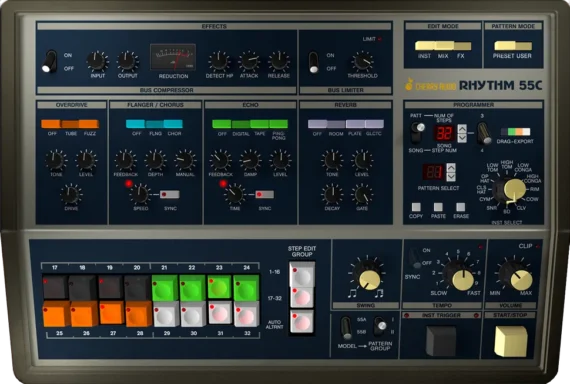
KR-55C’s UI features a step sequencer in place of the original’s pattern selector, which can sequence 16- or 24-step patterns, that can be chained using the plugin’s Song Mode or drag-and-dropped to your DAW timeline as MIDI clips.
All of KR-55C’s sounds can be individually edited with EQ, tone, tune and decay settings for each, while the mixer panel lets you adjust level, pan, solo and mute settings for each sound. The plugin is equipped with a variety of effects that includes overdrive, echo, reverb, flanger and chorus, along with a global bus compressor and limiter.
What they have to say about it:
“Cherry Audio’s KR-55C stays true to its analog predecessors by including all 240 original patterns, intros, and fills from the KR-55A and KR-55B models. Further, Cherry Audio has expanded the KR-55’s capabilities with 200 all-new rhythm and sound presets, including genre-specific instrument kits that showcase tailored sound design like never before. Whether you’re after the vintage vibes of the post-punk era or modern EDM textures, KR-55C has you covered.
Unlike sample-based instruments, KR-55C emulates the original tones through analog modeling. The instrument panel allows users to fine-tune each sound with settings for parametric EQ, tone, tuning, and decay. The mixer section provides per-instrument control over levels, panning, muting, soloing, and effects routing.
With its X0X-style programming interface, KR-55C makes creating and tweaking beats straightforward and intuitive, whether programming 16- or 24-step patterns in real time or using step mode. The song mode enables users to chain up to 99 patterns across 99 steps, making it easy to craft entire compositions directly within the plugin for later recall.
KR-55C also enhances production workflows with an effects panel that delivers studio-quality processing for each sound. With simple routing toggles, you can apply overdrive, flanger/chorus, delay, and reverb to individual drum elements. Additionally, a global compressor and limiter help ensure polished, professional results.
The plugin integrates seamlessly into your DAW, offering features like individual outputs for each drum sound, drag-and-drop MIDI export, and comprehensive automation capabilities for maximum flexibility in any project.”
An in-depth overview from synthesist Tim Shoebridge:
KR-55C is available now for $49, for both MacOS & Windows.