Ableton Announces Live 13, Adding Step Sequencing, ARA 2 Support + New Sound Design Tools
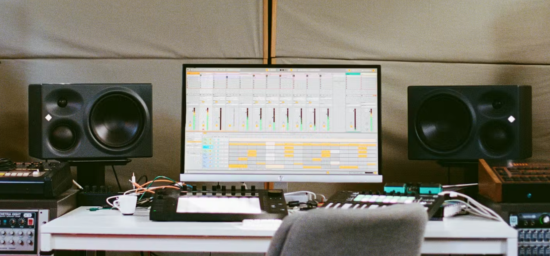
Ableton has announced the public beta of Live 13, the next version of its flagship DAW, a major update that the Berlin-based developer promises will “help music-makers keep ideas moving and shape sound in new ways”.
Live 13 features a substantial collection of new tools for electronic music production, sound design, audio editing, mixing, live performance, and significant updates to its Push 3 hardware controller.
The update focuses on expanding the creative possibilities of Live’s existing workflow. Among the key additions are a new Step Sequencer, ARA 2 support, a dedicated Drum Synth, Capture Automation, and expanded capabilities for Instrument and Audio Effect Racks.
Live 13 also introduces several new devices and effects, including Looplet, a four-playhead sample manipulation instrument, a Transient Shaper, and a Clipper. The mixer receives an updated interface with Device Slots, providing more direct access to track devices and effects
The announcement also includes significant changes to Ableton’s Push 3 controller, with new Custom Layouts, a dedicated Step Sequencer interface, and a Performance Mixer designed to make the hardware more flexible as a standalone instrument and performance environment
New MIDI Sequencing And Automation Tools:
One of the most significant additions in Live 13 is a dedicated Step Sequencer that offers an entirely new way to enter notes in a MIDI track.
Live’s new Step Sequencer is a classic X0X-style sequencer with a few twists. Patterns can range from eight to 128 steps, and each lane has its own settings for step count, playback rate, direction and swing, so you’re able to dial in polyrhythmic patterns that evolve and change as the sequence plays through.
Along with the notes themselves, five additional parameters are visualised on the sequencer, represented by the height of the rectangle that represents each step – the default is velocity, but you can also tweak offset, step length, step repeat, pitch bend and probability individually by adjusting the height. Clips can be converted from MIDI notes to the Step Sequencer format in one click, so you can jump between each view when it’s needed.
Step Sequencer is fast and intuitive to use and has largely replaced the Notes window for drum programming. And though it’s great for drums, it’s also a fun alternative to the regular piano roll for melodic writing, especially when using the Fold to Scale option that makes sure every lane is a note that’s in key with your project. This is something that could change the way that almost everyone, from complete beginners to seasoned producers, uses Live.
New Instruments And Sound Design Tools:
Live 13 introduces Drum Synth, a dedicated drum synthesizer device with 25 unique percussive presets spread across nine different categories, covering imitations of classic analogue drum machines like the TR-808, TR-909 and CR-78, synthesized recreations of acoustic percussion like the bongo, guiro and timpani, and a handful of more overtly digital, experimental and even melodic sounds.
Each category (Kick, Snare, Rimshot, Hi-hat, Clap, Tom, Percussion, Cymbal and FX) features a handful of drum synth models, each designed to produce a specific type of sound while offering some guided control over the details. Four dials let you tune each model, adjust decay, brightness and volume, and some models have a few additional model-specific controls: you can dial in the level of transient click on the 808 kick, for example, or add a pitch envelope to the 909.
Looplet is another new sound-design device, included with Live 13 Suite. Looplet is a four-track looper inspired by classic tape looping techniques. Load up a sample or record a loop, and you can play back a different chunk of audio on each of its four independent playheads, with per-playhead settings for playback direction, transposition and time-stretching, and a mixer section with panning, filters and routing. There’s even an authentic tape-style pitch glide effect when playback stops and starts.
Its approach is intended for creating evolving textures, rhythmic variations, and experimental sample-based sounds, including tape-style playback effects, reverse playback, and granular-style manipulation
Alongside the instruments, Live 13 features two new audio effects, both simple but effective dynamics-shaping tools that get their job done with minimum fuss. The Clipper device is well-equipped to control signal peaks and boost loudness, with Soft and Hard modes and a Delta control for isolating artifacts, and the new Transient Shaper features sidechain functionality, allowing you to drive the effect using the attack and sustain from an external signal.
New Mixing And Audio Processing Tools:
Live 13 adds several tools aimed at more detailed control over dynamics, frequency content, and stereo imaging.
Along with these new devices, Live 13 introduces dedicated Racks for multiband and mid-side processing, making it easier to apply precisely targeted effects processing across different frequency ranges or portions of the stereo field.
Multiband Racks split audio into separate frequency ranges for independent processing, including support for different filter types and linear-phase filtering. Mid-Side Racks provide separate processing paths for the center and sides of a stereo signal, allowing users to control stereo width and tonal balance independently.
ARA 2 Support And Audio Editing:
Instruments and effects aside, there’s a whole host of workflow improvements in Live 13. The most significant of these is ARA 2 support, something that many Live users have been after for some time. ARA is an extension to VST3 and AU plugins that allows the plugin to edit audio on the timeline directly, rather than working on a stream of real-time audio that’s coming in through the DAW’s playback. Ableton says “most” ARA plugins now work with Live 13, with a few exceptions: check the release notes for details.
ARA plugins have a range of uses, but one of the most common is polyphonic note editing, using tools like Celemony’s Melodyne. Without ARA, working with Melodyne entailed capturing audio with the plugin, making edits and then playing it back to the timeline, a time-consuming process that forced many to do this kind of work in another DAW. With Live 13’s ARA 2 support, the editor can be opened up in the Clip View for any audio file, letting you make quick edits in real-time without opening a separate window or leaving the DAW. Live 13 Suite now comes bundled with Melodyne Essential, which is a major boost for Live’s top tier.
Another addition is Capture Automation, which extends Live’s existing Capture functionality. Users can experiment with synthesizer controls, effects, and mixer parameters without recording, then retrieve those movements as editable automation by pressing Capture. MIDI notes and automation can also be captured simultaneously.
The existing Rack system also receives a substantial update. Instrument, Audio Effect, and MIDI Effect Racks can now accommodate up to 32 Macro controls, twice the previous maximum of 16. Users can reorder Macros, configure individual mapping curves, and use Macro controls as modulation sources. Round Robin functionality also allows incoming notes to cycle through different Rack chains.
The mixer also receives Device Slots, which provide a direct overview of the devices on each track. Users can toggle, reorder, and replace devices, swap presets, and manage plug-in windows without having to navigate through individual tracks.
Other mixer changes include improved Send sliders, more flexible mixer configuration, and smoother resizing.
In an age when most DAW developers seem to be focused on shoehorning in AI-powered features that their users never asked for, Ableton is refusing to jump on the bandwagon, and Live 13 is all the better for it. The update is packed with smart, sensible improvements and creatively inspiring features, and there’s something here for every Live user.
Live 13 Suite also includes Melodyne essential, Looplet, Clipper, Transient Shaper and the Classic Dynamics & EQ Pack by Softube.
Push 3 Gets A Major Update:
Live 13 is accompanied by a substantial software update for Ableton’s Push 3 controller, with several features intended to make the hardware more flexible as a standalone production instrument and performance interface.
Custom Layouts allow users to create personalized Push interfaces combining elements such as Session View, note-playing areas, XYZ controls, and mixer functions. Different layouts can be created for individual Live Sets, allowing the controller to adapt to different instruments and performance requirements.
The new Step Sequencer also receives a dedicated Push interface, including Expressive Step Editing. Users can adjust individual step parameters or manipulate multiple steps through gestures across the pad surface.
Push 3 also gains a Performance Mixer, allowing users to interact with mixer controls as part of a performance. Device Mode improvements include jog-wheel navigation through devices and nested Rack chains, along with access to expanded Macro controls.
Push 2 will receive support for the new Step Sequencer and most Device Mode improvements, although Custom Layouts, Performance Mixer, and Expressive Step Editing are exclusive to Push 3.
Features:
- New Step Sequencer for creating MIDI patterns, beats, melodies, and polyrhythms.
- Independent step-row lengths and playback settings for evolving sequences.
- Per-step velocity, chance, repeat, and pitch-bend controls.
- ARA 2 support for compatible audio editing plug-ins.
- Melodyne essential included with Live 13 Suite.
- Capture Automation for recording parameter movements and other control gestures as editable automation.
- Contextual Browsing for loading devices and swapping presets directly from device chains and the mixer.
- Drum Synth with more than 20 synthesis engines for creating percussion sounds.
- Looplet four-playhead sample manipulation and looping device.
- Up to 32 Macro controls in Instrument, Audio Effect, and MIDI Effect Racks.
- Customizable Macro mapping curves and Macro modulation capabilities.
- Round Robin functionality for cycling incoming notes through Rack chains.
- Envelope Clips for automating and modulating Return track effects and mixer settings.
- Multiband Racks for independent processing of different frequency ranges.
- Mid-Side Racks for separate processing of the center and sides of stereo signals.
- Transient Shaper for independent attack and sustain processing.
- Clipper with hard and soft clipping modes.
- Device Slots for managing track devices directly from the mixer.
- Updated Phaser-Flanger interface and additional mixer improvements.
- Updated Core Library with new Drum Racks, instrument presets, MIDI clips, audio samples, and effects presets.
- Classic Dynamics & EQ Pack by Softube included with Live 13 Suite.
- Push 3 Custom Layouts, Step Sequencer, Expressive Step Editing, and Performance Mixer.
- Push 2 support for the new Step Sequencer and most Device Mode improvements.
- Ableton Link Arrangement Sync for synchronizing playback positions across compatible devices and applications.
Ableton Live 13 will be officially released in early 2027 but owners of Live 7-12 Standard and Suite can try out the public Live 13 Beta right now. The software will be available in three editions: Intro ($99), Standard ($349), and Suite ($749).


