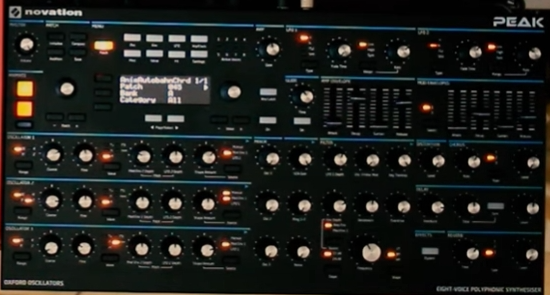
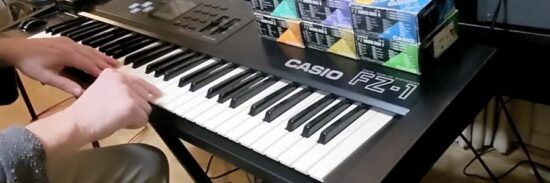
The video, via TheGuacamoleXplosion, explores recreating some of the most iconic synth sounds of the 1970s on the Novation Peak synthesizer.The video highlights the sonic possibilities of the Novation Peak, covering happy synth pop, rock, prog, jazz fusion and more.
Here’s what they have to say about the video:
“All synth sounds (including most electronic drum sounds) in this video are pure Novation Peak: Presets created from scratch, recorded directly through RME audio interfaces into Cubase, with no track effects added to any of the Peak tracks, not even EQ or panning (only exceptions: on Autobahn, the cluster Vocoder is two tracks hard-panned in the DAW; and the bass on the final part has a bit of treble shelved off with the Cubase stock EQ).”
The soundbank for the Novation Peak (should also be compatible with the Novation Summit) as well as the individual sounds and the 1 User Wavetable are available as a free download.
Timings:
00:00 – Intro: Autobahn, Part C
02:57 – 1970: Emerson, Lake & Palmer — Lucky Man
04:22 – 1971: The Who — Won’t Get Fooled Again
05:17 – 1972: Hot Butter — Popcorn
06:52 – 1973: Pink Floyd — Any Colour You Like
08:13 – 1973: Pink Floyd — On The Run
09:58 – 1974: Kraftwerk — Autobahn (Parts A & B)
13:47 – 1975: Pink Floyd — Welcome To The Machine
17:46 – 1976: Jean Michel Jarre — Oxygène (Part IV)
19:34 – 1977: Weather Report — Birdland
20:15 – 1978: Parliament — Flash Light
22:21 – 1979: Supertramp — Child Of Vision
24:40 – Outro: Autobahn, Part D
Overload Audio has introduced MOODYSIX for Mac and Windows, a 6-voice s0ftware synthesizer modeled on the 1981 Korg Polysix.
Like the original, it features one oscillator per voice with saw, pulse width, and PWM waveforms, a sub oscillator, the iconic SSM2044-style 4-pole lowpass filter, and the legendary chorus/phaser/ensemble effects section.
MOODYSIX also includes three classic Polysix hardware mods:
NoisySix — Adds white and pink noise generators plus an extended MG (LFO) with triangle, saw up, saw down, square, sample & hold, and noise shapes. Variable pulse width for the square LFO.
Polysex — Pitch envelope modulation with polarity and reference controls. Voice spread with EG and LFO modulation for thick detuned sounds.
ModyPoly — Smooth portamento/glide that works properly across all voice modes including unison.
Features:
6-voice polyphonic with poly, 2-voice unison, 3-voice unison, and 6-voice mono modes ($1 per voice!)
Saw, pulse width, and PWM waveforms with dedicated PWM LFO
Sub oscillator (1 or 2 octaves down)
4-pole lowpass filter with resonance, EG intensity (bipolar), and key tracking
ADSR envelope for filter, amplitude and added pitch and voice pitch spread envelope
MG (LFO) with delay, routable to VCO, VCF, VCA as well as voice pitch spread, with additional MG shapes via the noise section
Chorus, phaser, and ensemble effects (Triple BBD-modelled)
Arpeggiator with up/down/up-down modes, 1/2/full octave range, and latch
Hold and chord memory
32 factory presets
Portamento with per-voice glide
MOODYSIX is available now as a free “Name Your Price” download.