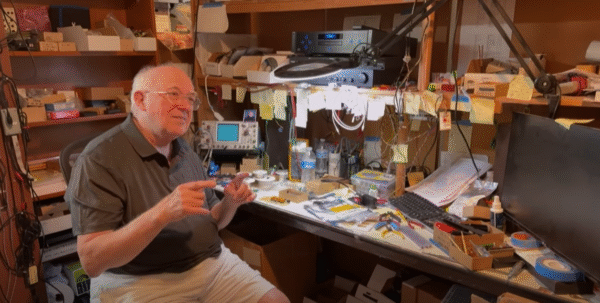
Composer & synthesist Anthony Marinelli shared this behind-the-scenes look at Tom Oberheim’s garage workshop.
This follows up on Marinelli’s new interview with Oberheim, and offers a rare look at the process used in creating some of the most important synths ever created.
Video Summary:
“Step inside the legendary garage workshop of Tom Oberheim—the birthplace of some of the most iconic sounds in music history. In this rare behind-the-scenes tour, Tom shares his latest creation: a custom-built computer he’s designing entirely from scratch—just because he loves the way it sounds.
Along the way, Tom opens up his treasure chest of innovations, showing us priceless prototypes from his storied career, including the original Maestro Phase Shifter prototype and circuit boards that paved the way for his groundbreaking synthesizers.
I’m joined by Rob Rosen (Rosen Sound) and Marcus Ryle (Alesis, Line 6) as we hear directly from Tom himself, walking through this sacred space filled with history, innovation, and pure sonic imagination.”
The hardest hitting synthesized drums ever put in a plugin.
Tekno combines analog circuit modelling, FM and digital synthesis to create production hard hitting electronic drum.
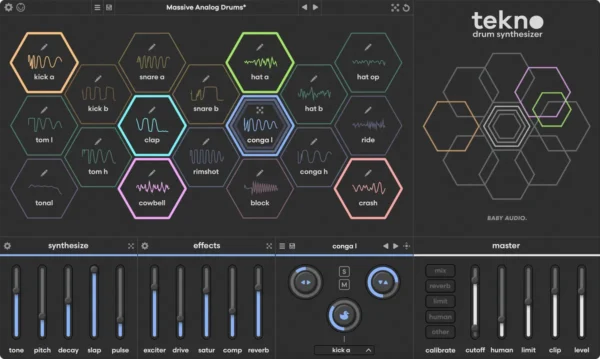
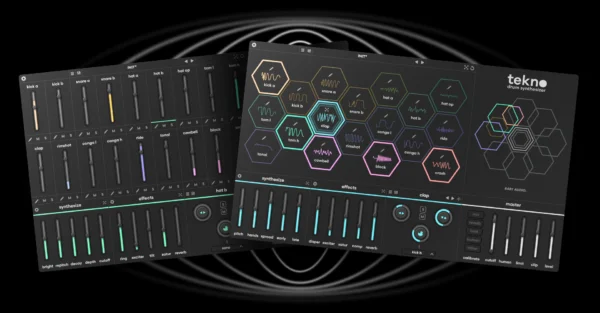
US plugin brand Baby Audio has released its latest plugin instrument, Tekno, a virtual drum synth with 18 engines that combine circuit-modelled virtual analogue, FM and digital approaches to percussion design.
Tekno has been designed in collaboration with audio signal processing engineer Jatin Chowdhury, and comes stocked with 73 preset kits from producers including Mr. Bill, Richard Devine, Virtual Riot and Yoad Nevo. According to Baby Audio though, Tekno is far more than a simple source of preset drum sounds.
Rather than making use of samples, every engine in Tekno synthesises its sounds from scratch, and the developer is quick to tout the non-linearity of its virtual analogue circuity, which apparently results in a more nuanced and varied response from each hit.
Each sound generator has its own set of bespoke parameters allowing users to adjust the pitch, shape and timbre of the sound.
At the low end of the frequency range are two kick generators, the first of which, Kick A, is punchy and slightly 909-like, albeit with a broader range of sound shaping options. Kick B, meanwhile, is more 808-inspired, with a long tail and powerful low-end.
There are similar variations in the other engines too. Snare A, for example, covers fuller and more tonal sounds, while Snare B is snappier. Similarly, Hats A and B between them cover off a range of sounds between sharp metallic tones and softer, noisier hats.
Beyond these engines are a range of percussive generators aimed at creating sticks, cymbals, toms and tonal bleeps and glitches.
Along with the generators themselves, Tekno comes equipped with a range of analogue modelled effects that can be applied to each drum hit individually. These include tape saturation, an exciter, ring modulation, reverb, a compressor and more.
There’s also a suite of master effects including a filter, reverb and a limiter/clipper capable of tying the full kit together with a touch of saturation. The master section also offers a variety of humanise tools designed to push the non-linearity even further, introducing changes in timbre, velocity and timing with each hit.
Baby Audio claims that Tekno combines ‘the best of both analogue and digital’ and ‘sets the bar for the hardest hitting synthesized drums ever put in a plugin.’
You can put these claims to the test yourself with a free trial download. The plugin itself is priced at $129 but is currently available for the intro price of $79. It can also be bought via a 6-month rent to own program priced at $14.99 per-month.
Tekno is available in VST, AU and AAX formats for PC and Mac. Head to the Baby Audio site to find out more.
Live’s 12.2 update is only a few months old, but Ableton is already launching its next free ‘point’ release, Live 12.3 – which enters public beta today.
The next free update to Live 12.3 brings major new ways to work with samples, along with new expressive features for Push 3, plus a new audio effect for Move, Note and Live Lite.
Scanning the release notes for 12.3, it quickly becomes clear why Ableton is keen to turn this update around quickly. Its two most significant new features both see Ableton addressing areas where Live was notably a step behind some of its key competitors.
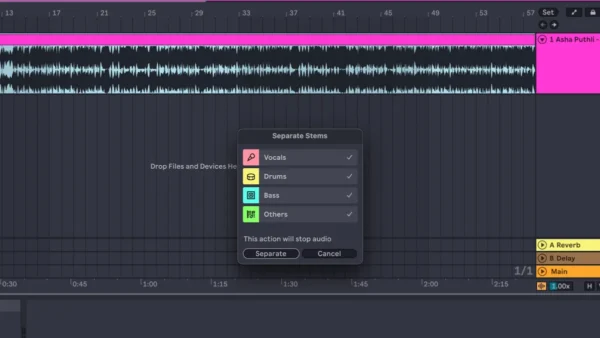
The first big addition is AI-powered stem separation. Unless you have been living under a rock, it’s highly likely you’ve encountered similar functionality over the past few years.
While the ability to divide fully mixed tracks into component parts has been around for a while via dedicated tools such as Hit’n’Mix’s RipX, the technology has come on in leaps and bounds over the past few years, and is increasingly becoming integrated into mainstream music making software.
Real time stem mixing is now standard in most DJ software, and stem separation is already a feature embedded into production tools including Serato Sample, FL Studio and Logic Pro.
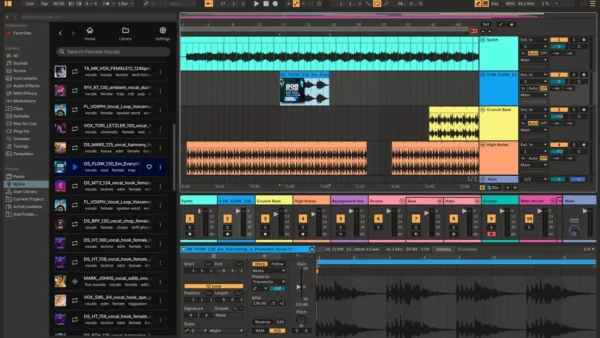
Live’s version is provided by Music AI and it can be accessed in Live’s audio clips, either in Session or Arrangement view, or within the browser. The separation works in the now-standard manner of dividing the audio file into stems labelled drums, vocals, bass and other, which appear as their own individual audio clips that can be treated like any other audio within Live.
More immediately useful for a lot of Live users is Splice integration within the DAW’s browser. For the ever-growing amount of producers who regularly use Splice’s library of sounds as part of their production process, the drag-and-drop functionality is likely to be a major time-saver. Additionally, the ‘search with sound’ feature promises to help find sounds within Splice’s online library based on the rhythms and harmonies already present in your project.
And there’s more…
As is often the case with these ‘point’ updates, however, some of the most exciting features are those lurking beyond the headlines.
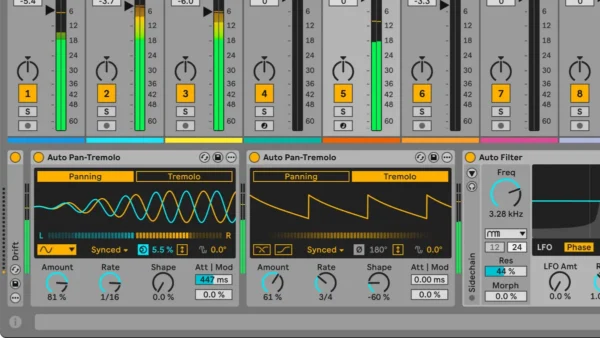
Following the refresh of Auto Filter in Live 12.2, another of the DAW’s workhorse devices gets an overhaul here. This time it’s the turn of Auto Pan, which now becomes Auto Pan-Tremolo. The addition of tremolo functionality is essentially acknowledging the way in which many users were making use of the device anyway – by aligning the phase of Auto Pan’s left and right channels, it was already possible to use it to duck the volume of audio and create tremolo-style effects.
As well as introducing the dedicated tremolo mode, the new Auto Pan-Tremolo adds some really handy new features, including the ability to fade in the attack of the pan/tremolo effect as well as have it respond dynamically to the level of incoming audio.
It’s not quite an upgrade on the level of Auto Filter’s radical overhaul, but it does make one of the DAW’s most useful tools significantly more versatile.
Another significant new feature, somewhat hidden at the bottom of the press release, is the ability to set A and B states for every instrument and effect in Live. This is potentially incredibly useful, as it allows the users to experiment with two radically different sets of settings for any device and flip between them with a click of a button of the keyboard shortcut ‘p’.
There are improvements to the way in which Live bounces audio as well. With 12.3 the DAW introduces a new Bounce Group functionality, which lets users bounce an entire group of tracks down to a new audio file with all its processing applied – which will prove handy for any users turning their projects into stems for mixing or live performance.
There are some cool new Packs and Max for Live tools added as part of the update too. In the new Generators Pack, users of Live Standard and Suite get access to a new percussive MIDI tool named Patterns, along with Sting, an acid bassline generator based on the popular Max device of the same name.
The excellent Sequencers Pack – full of great tools for generative creativity – adds the ability to create reproducible arrangements. The recently-added Expressive Chords gets updated too, with tools to make it easier to customise and transpose its bank of chord shapes.
Push it
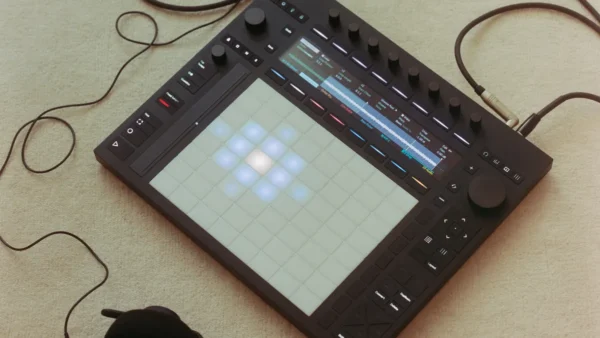
There’s also a lot of great news for Push 3 users in the update. For one thing, the big headline features – stem separation, Patterns, Sting, group bounce – can all be accessed from Push in both tethered and standalone modes.
Push also gets some excellent upgrades all to itself though. The first of these is the ability to use class compliant audio interfaces with Push 3 in standalone mode. This means it’s now possible to vastly expand the amount of ins and outs available beyond those featured on the hardware itself. This could already be done via the use of the ADAT connection, but hooking up a standard audio interface is undeniably an easier and more convenient option.
The latest firmware update also adds a new XY control mode where Push’s expressive pad grid can be used to control effects Kaos Pad-style as well as apply punch-in effects by pushing an individual pad. There are also upgrades to Push’s sequencing workflow, allowing for touch sensitive control over velocity levels while step sequencing, as well as introducing a new Rhythm Generator layout for sequencing percussive patterns with Drum Racks.
Both Live 12.3 and the accompanying Push update are out in public beta today.
To see the full list of updates, head to the Live 12.3 beta release notes*.
Head to the Ableton site to read more and join the beta program.