Spectdrum Rhythmic Spectral Gate Turns Any Sound Into A Groove
A four-band spectral gate sequencer.
Spectdrum is a rhythmic spectral gate that splits incoming audio into four frequency bands and uses independent rhythmic patterns to turn each band into a separate rhythmic voice.
Hagai Davidoff has introduced Spectdrum, an audio effect for Mac and Windows that can take any sustained sound and turn it into a rhythmic groove.
Spectdrum works by splitting the incoming audio into four spectral bands, and opens and closes each band in time, driven by its own independent step sequencer of 1 to 32 steps. You can lock the sequences to a grid, or let them run polyrhythmically.
The plugin also provides drawable volume, filter, pan and pitch envelopes, per-band reverb and delay sends, and a master effects section.
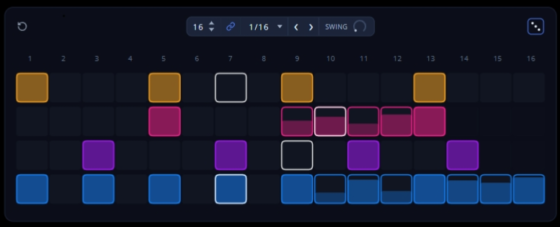
Features:
- Four spectral bands consisting of Sub, Low-Mid, High-Mid and Air
- Each band has its own frequency range, filter, pitch, stereo width and drive controls
- Each band has an independent rhythmic sequencer
- Sequencer patterns can contain 1 to 32 steps
- Independent pattern lengths allow polyrhythmic sequences between bands
- Per-step velocity, accents and swing controls
- Patterns respond to MIDI
- MIDI Learn allows hardware controls to be assigned to plugin parameters
- Eight stored patterns can be selected from a MIDI keyboard
- Drawable per-band volume envelopes
- Drawable per-band filter envelopes
- Drawable per-band pan envelopes
- Drawable per-band pitch envelopes
- Per-band reverb sends
- Per-band delay sends
- Master filter section
- Master distortion section
- Master EQ
- Master maximizer
- Follows the host project’s tempo
- Internal BPM setting for creating polyrhythms against the host session
Spectdrum is available now for Windows and macOS as a VST3 plugin, with AU support on macOS. The introductory price is US $69 (normally $99).


