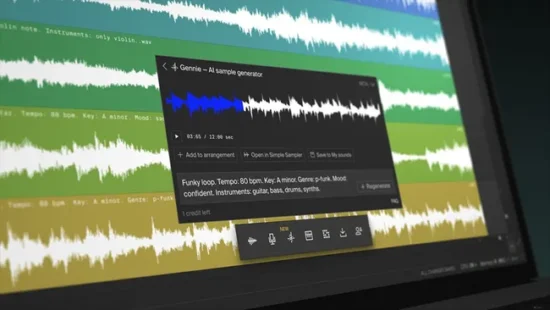
You like it or not, AI music generators are now part of the audio production landscape, and now we have another, Gennie, that’s baked right into online DAW Soundation.
Powered by text prompts, this can quickly create a 12-second sample based on your descriptive words. This can then be used as an audio loop, played as an instrument via the Simple Sampler or loaded into the Soundation Beatmaker. As such, Soundation users now have a flexible AI engine on tap whenever they need it.
“By harnessing the power of generative AI and online music production, Gennie provides users with a unique avenue for musical exploration,” said Adam Hasslert, CEO of Soundation. “This groundbreaking integration sets a new standard in AI music, offering endless possibilities for creativity and expression.”
Gennie promises to create high-quality audio that’s free of the digital artefacts you often hear in AI-generated music, and is accessible within the Soundation studio as soon as you open it up. The number of times it can be used per month depends on the level of your subscription: there’s a free tier, along with Starter, Creator and Pro plans that cost £5, £10 and £30 a month respectively when you sign up for a year.
Did you know that most Elektron devices can also be used as a USB Class Compliant audio interface?
This offers an easy way to capture audio to your computer, mobile devices and tablets. The video demonstrates how easy it is to plug and record audio to your Apple device with no additional drivers, app or software needed.
It’s also discusses how you can record audio audio from any of your other gear sources by using your Elektron box as a USB audio interaface. As an example, the video demonstrates running the audio from a Roland TR-606 into the external input of the Syntakt , and then recording all the sounds, from both devices, directly via USB audio into an iPhone.
It also takes a quick look at how you can use the routing options to control what audio you route to USB. The default setting will send the main stereo outs, but you can also route specific tracks, the external inputs, etc. And the video notes that the Analog Heat+FX can also be used to process incoming audio from USB.
Watch the video and share your thoughts in the comments!
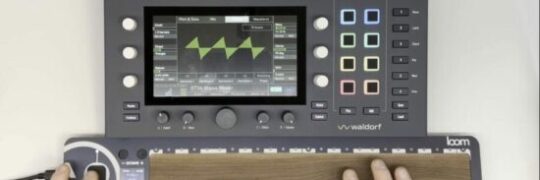
Aodyo Instruments shared this set of videos, demonstrating the possibilities of using their new Loom controller with the Waldorf Iridium Core synthesizer.
The Loom is a multidimensional multitouch surface that supports independent control of pitch (X), timbre (Y), and dynamics (Z) for each finger. It can be used to control any MIDI instrument, but these demos are designed to highlight it can be used with an MPE-compatible synth like the Iridium Core.
The first video, embedded above, demonstrates using the Loom’s Ribbon and Strum modes with the Iridium. The second video, below, demonstrates Ribbon, Drumkit and Pad modes:
Production of the Aodyo Instruments Loom is being funded via a Kickstarter project, and it is available to project backers starting at €259, 35% off the planned retail price. The project has already more than doubled its funding goal.
*Note: Crowdfunded projects can involve risk. See the project website for more information.