Shut Up + Play: Sounds of the ASM Hydrasynth
No talking demo of ASM Hydrasynth.
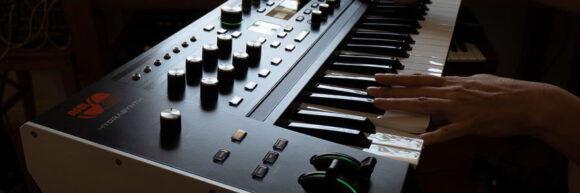
Sound designer Jexus shared this Shut Up and Play style demo of their collection of custom sounds for the ASM Hydrasynth.
All sounds are original and work on the keyboard, desktop, Explorer and Deluxe Hydrasynth modules.
What they shared about the technical details: “I did not use any external FX in the demo; all the delays, reverbs, flangers, noises, crackles and other effects are part of the Hydrasynth engine / mod matrix. However, I used some EQ-ing on selected patches.”
They also shared their thoughts on programming the Hydrasynth:
“The HS is the furthest thing from instant gratification, but at the same time it’s the most gratifying synth out of all the deep synths I’ve come across in my hobby / career as a synth tweaker.
It does not have any idiotic quirks that you have to “learn” from forum nerds with oscilloscopes in order to make the synth into something proper (like “turn this option off, don’t use that feature, and use this output instead of that output” = see Alesis Andromeda). But you do need a different approach and some time to build the sound, because it’s not right there on the panel. It’s one inch underneath it, and several inches deep down in your brain.
I think it’s rational to say the synth is a no-go zone for total beginners; however, if you understand the path of building a sound from scratch and have some experience with tweaking synths, or you really want to start learning it, you’ll probably agree with me that after the first three or four days spent with the HS and its UI, the tweaking sessions are a joy, not a chore.
Finally an electronic instrument has arrived to this world that is incredibly deep, yet playable. I think a synth of this sort comes once in a decade, and if it hasn’t set a new standard already, in the future its appeal will only grow.”
Watch the demo and share your thoughts on the Hydrasynth in the comments!
Sounds & timings:
0:00 arp / melody
0:16 pad / texture
0:33 reverse bass
0:44 pad / ambience
1:03 keys / piano
1:23 rhythmic seq
1:35 synth
1:50 pad / ambience
2:11 acoustic
2:26 wavetable rhythm
2:39 percussive + arp
2:55 pad
3:15 overdrive lead
3:37 arp / melody
4:02 pad / ambience
4:15 [unclassifiable] 4:32 keys / digital synth
4:48 soundtrack pad
5:05 mega pad / soundscape
5:33 distortion bass
5:44 synth
5:57 vocal / formant
6:08 pad
6:26 electricity sfx
6:43 wavetable rhythm
7:01 pad / ambience
7:26 [unclassifiable] 7:42 bizarre instrument
7:58 synth
8:22 soundtrack pad / sfx
8:47 digital synth pad
9:03 mega pad / texture
9:39 keys
10:01 acoustic
10:17 bass
10:28 ghost
10:37 digital bass
11:00 old string machine
11:25 sfx / creature
11:48 generative arp
12:15 soundtrack pad
12:40 pad
13:04 mellotron / sampler choir
13:20 synth
13:44 bass