Sonic Charge Intros PhenoType ‘Generate Synplant Patches From Text’ For Synplant 2


Sonic Charge’s Synplant 2 is one of the most innovative synth plugins released in recent years, not only thanks to its unique ‘genetic’ workflow, but also the groundbreaking Genopatch function introduced in version 2.

Genopatch is an AI-powered tool that generates synth patches based on imported audio, analysing a sample to create a similar-sounding patch in Synplant based on its sonic characteristics. As the first synth plugin to introduce this kind of capability, Synplant has been consistently ahead of the curve when it comes to AI-based sound design.

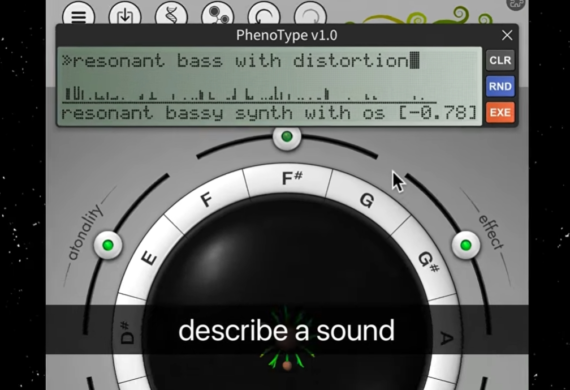
Today, Sonic Charge continues to lead the change with the introduction of PhenoType, a new feature for Synplant 2 that allows users to generate synth patches from text descriptions. Much like prompt-based song generators like Suno or text-to-sample tools such as Waves Illugen, PhenoType responds to text descriptions, using these to guide Synplant’s sound engine towards a patch that reflects the input.
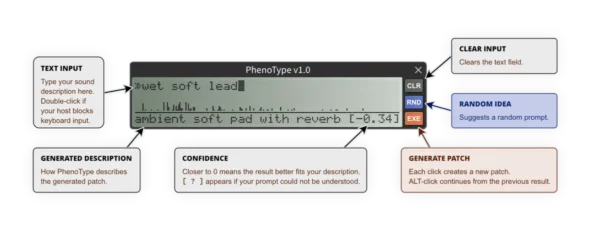
The process is simple: once you’ve downloaded and installed the script (which is free for Synplant 2 owners), just open up PhenoType and type in a description of the patch you’d like to create.

This could be anything from simple, well-known sounds (“reese bass”, for example) to more complex descriptions that cover multiple timbral characteristics, like “soft ambient pad, slow attack, sweeping resonant filter, strong reverb”.

Once your description is ready, hit EXE to generate a patch, or alt-click to edit the previous result. The RND button will suggest a random prompt if you’re lacking inspiration, and a handy CLR button empties the text field. Each patch will be accompanied by a description beneath that shows how PhenoType would describe the sound its created, and a confidence score that rates how close the results are to the initial description.

Notably, PhenoType isn’t built on a large language model, or even marketed as an AI-powered feature. Instead, the algorithmic text parser runs locally in Synplant with no internet connection required. Its specialized neural network works with hundreds of internal tags – along with synonyms and variations – to build its patches, and Sonic Charge advises that simple, natural English will get you the best results.

The company suggests that specific prompts like “a reverb-drenched pad with a slow attack and some modulation” should work well, while more abstract descriptions (“a sound that resembles a busy cafe heard from the street outside”) are beyond its abilities. (If the parser doesn’t understand your description, it’ll generate a random patch instead.)

PhenoType is still in its early stages, and though it performed well at generating basic patches from easily understandable prompts, complex descriptions typically yielded mixed results.

While the text-to-patch concept isn’t entirely novel, Sonic Charge is the first established plugin developer to integrate this kind of tech into a well-known software synth – and much like Synplant’s GenoPatch feature, PhenoType is another major leap forward from a perpetually innovative developer that continues to surprise us.
“The idea for PhenoType came from working on a new technology for Synplant: an algorithm capable of describing Synplant patches using words and tags,” reads a press release from Sonic Charge.

“At some point, we started thinking: If an algorithm can create descriptions from patches, should it not also be possible to run the process in reverse and create patches from descriptions? Once this idea was planted, we simply had to try building it.”

Visit Sonic Charge website to find out more and download PhenoType. You’ll need a Synplant 2 license to download and use PhenoType: the plugin is priced at €149 but a free trial is available.
 

Fender Studio & Moises Launch First-of-Its-Kind Integration Inside Studio Pro


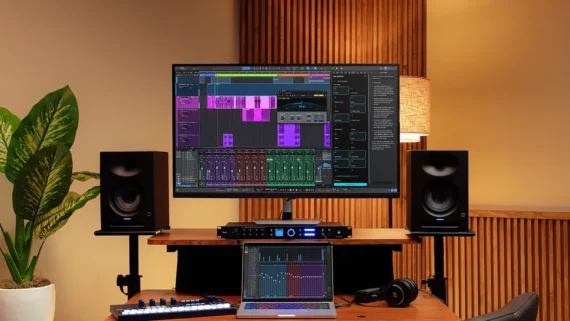
It’s only been five months since Fender officially relaunched Studio One as Fender Studio Pro, and now the feature-packed DAW sees its most notable divergence from the original with an AI-leaning 8.1 update.

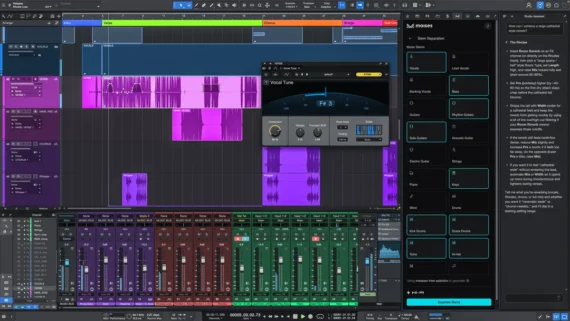
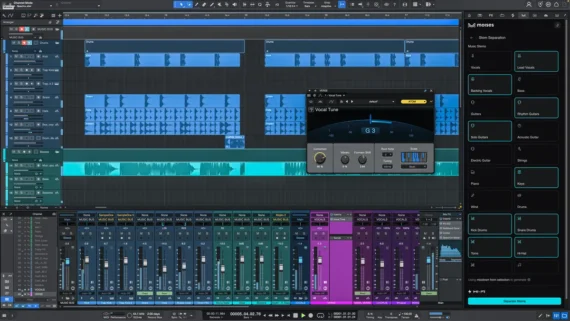
Moises Studio integration brings stem separation, stem generation, and voice transformation directly into the recording workflow.

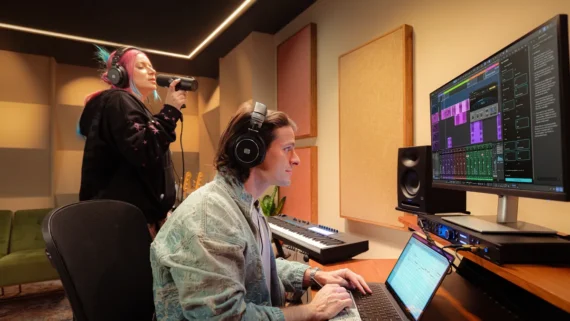
In collaboration with the stem separating masterminds at Moises, Fender stresses that the new (ethical) AI-fuelled tools of 8.1 are intended to assist the music creator, enabling them to get deeper into their tracks, build out ideas quicker and save precious time. This latest evolution of the DAW formerly known as Studio One brings a wealth of AI-powered new additions.

The key flagship here is the Moises integration which seamlessly grants Studio Pro users the ability to strip out a huge array of pristine-sounding stems from a finished, bounced track.

And, get this, using Moises, you can now generate a batch of new stems or convert voices of already recorded vocals.

On the stem separation front alone, the results are certainly a step up from other DAW-native stem extraction abilities, with the application now able to cut out elements with far more surgical precision than anyone else.

Indeed, even individual drum elements are able to be isolated with zero spill from the other elements of the kit.

“Usually you just get vocals, bass, drums and others, but here you can separate between vocals and lead vocals and backing vocals,” explained Fender Studio expert and YouTuber Gregor Beyerle at the launch of the new update. “Or, guitars, and rhythm guitars – they can be separately processed from each other. You can also do strings and wind instruments separate from each other, and piano and synth which I think is pretty wild. And also, the entire drum kit…”

Although Moises’ stem separation acumen has long been recognised, the integrations of its smartly generated stems and the seamless ability to switch out vocalists for a range of AI vocal models within the Fender Studio Pro ecosystem could represent quite a leap forward.

And, on the source material that its algorithm has been trained on, Moises reiterated strongly that it only deals with officially and legally-licensed music. It’s an approach that is central to the company’s artist-angled ethos.

“Our integration with Moises gives musicians powerful new ways to learn songs, practice, experiment and create,” Max Gutnik, Chief Product Officer of Fender Electronics stated. “AI isn’t the destination. Making music is. When technology gets out of the way and helps musicians accomplish more, it’s serving the art. That’s what we aspire to do.”

Moises Studio integration is available for all 8.1 users, providing 10 stem separations, 120 stem generation credits (60 minutes), and five voice conversions per month.

Another key addition is the AI Studio Assistant. Think ChatGPT or Claude, but entirely trained on the inner workings of Fender Studio Pro – a semi-sentient manual if you will.

This assistant is designed to answer questions quickly without requiring you to leave your workflow, breaking complex processes down into easy-to-understand, step-by-step instructions. Crucially, it’s contextual, and can diagnose problems with your mix too.

“This is the first ever tool that is capable of answering your personal product question that a manual just can’t answer, because [a manual] is not contextual, it doesn’t know what you’re currently seeing and what you’re currently working on,” said Gregor. “This tool is incredibly powerful and it can really answer a variety of different questions.”

A particular concern is new users, who might be daunted by the scale of the DAW. “Studio Assistant provides guidance right when players need it, helping remove friction and keep the creative process moving,” said Max.

Another new addition with 8.1 is the easy-to-use Vocal Tune Plugin, which can provide some subtle pitch correction all the way to hyper-effected, Cher/T-Pain-esque hard tonal transformation and rigid formant shifting.

Then, there’s Pitch Curves, which allow users to draw in real-time pitch changes onto audio just like any other automation editor, with subtle shaping or extreme, unnatural adjustments.

Beyond these spotlight additions, there’s also been significant upgrades to the Score Editor (articulation-based timing offsets, combined articulation conditions and deeper functionality to yield better realism) and the browser workflow in general, with reorderable tabs and a customisable browser layout so you can tailor your workspace to your own preferences.

Here’s What’s New In Fender Studio Pro Version 8.1

  • Vocal Tune Plug-in — New built-in pitch corrector that delivers everything from transparent correction to iconic, heavily-stylized vocal sounds complete with formant shifting and ready-to-use presets.
  • Moises Studio Integration — A first-of-its-kind integration delivering best-in-class stem separation, powerful vocal transformation, and the ability to create backing tracks tailored to your actual music, with context-aware parts that match your sound, tempo, and vibe—so you can spark new ideas or finish old ones.
  • Studio Assistant — Your intelligent in-DAW guide for real-time answers, technical direction, and creative support so the help you need shows up instantly and your momentum never stalls (exclusive to Fender Studio Pro+).
  • Sound Variations & Scoring Improvements — The most intuitive, score-friendly articulation system available, designed to unlock deeper composition tools for modern producers, composers, and creators.
  • Pitch Curves on Audio Events — Bring pitch automation directly into your timeline for fast, detailed corrections and expressive, creative effects.

The Fender Studio 8.1 update is available now for anyone with a current Fender Studio Pro+ subscription or a perpetual license. For more info visit Fender site.


How Well Does Behringer JN-80 Clone Roland Juno-60? (Head-To-Head Comparison)


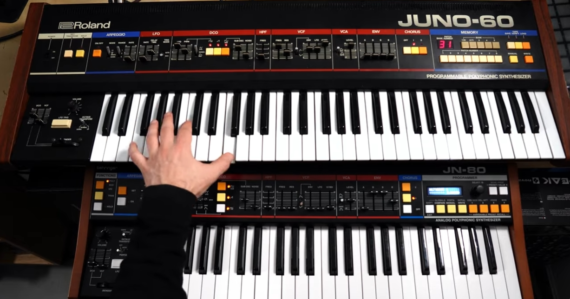
Synthesist Nicolas Melis shared this head-to-head comparison between the Roland Juno-60 and its Behringer knockoff, the JN-80.

While there are audible differences between some patches on the two synths, the Behringer JN-80, in many cases, gets very close.

Is this as close as one can get, when comparing old analog synths to their modern counterparts? Watch the video and let us know what you think in the comments!